How to Split a PDF Without Losing Quality
A concise guide to using the PDF Splitter on THRJ. Split pages quickly while keeping original quality — Open the PDF Splitter or use /pdf-splitter.
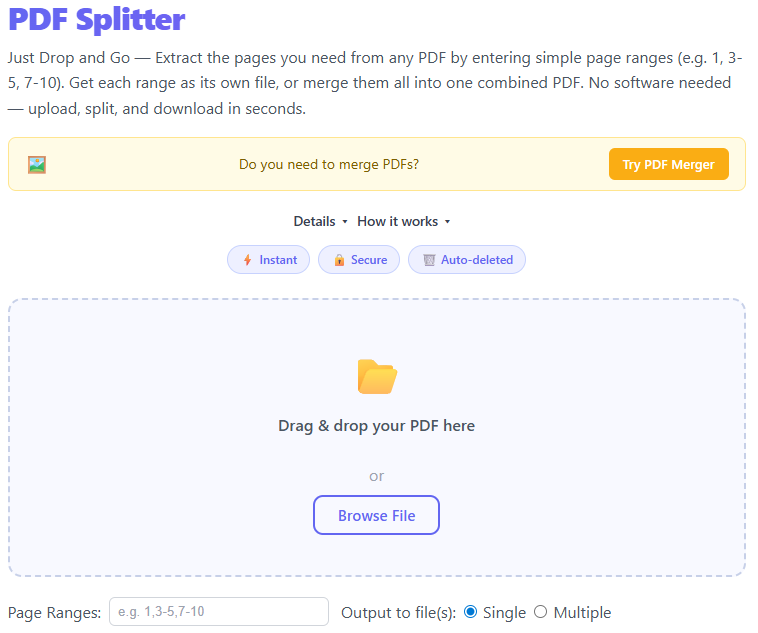
Overview
The PDF Splitter allows you to extract pages or ranges from a PDF and save them as separate documents without re-encoding or downscaling the original images. Useful for sharing, archiving, or extracting specific pages.
Quick Steps
- Visit https://thrjtech.com/pdf-splitter or
/pdf-splitter. - Drag & drop your PDF into the uploader, or click to browse and select a file.
- Choose pages to extract (single pages, ranges like 3-5, or select-by-preview).
- Click Split and wait for processing.
- Download the extracted PDF(s) when ready.
Step-by-step with screenshots
1. Upload your PDF
Drop your PDF or use the file selector. The uploader shows filename and size and presents a page preview when available.
2. Select pages or ranges
Choose the pages or ranges you want to extract. You can pick single pages or contiguous ranges; the tool preserves original resolution and formatting.
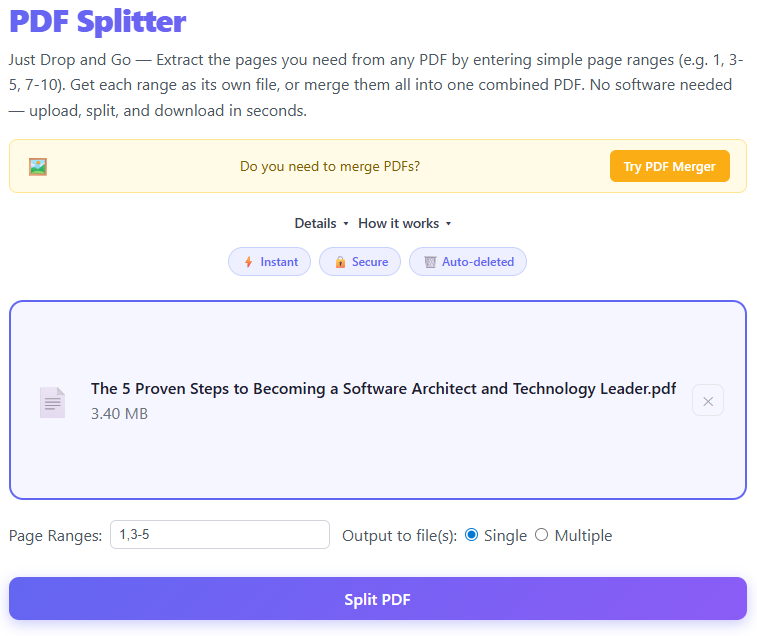
3. Split and download
Click Split. A progress indicator shows processing status. When finished, download links appear for each extracted PDF or a ZIP for batch results.

Best practices
- Preview pages before splitting to avoid extracting extra pages.
- For large PDFs, extract in batches to keep processing fast.
- Downloaded files preserve original image quality and layout.
- Keep an original copy in case you need different splits later.
Privacy & retention
Uploaded files are kept only long enough to allow downloads and are removed after a short retention window. For maximum privacy, use small files so processing can complete quickly.
Supported inputs
PDF files (.pdf). Multi-page PDFs are fully supported — extracted pages are returned as separate PDF files.
FAQ
Will splitting change image quality? No — splitting extracts pages without re-encoding images, so quality is preserved.
Can I extract multiple non-contiguous pages? Yes — select any combination of pages and the tool will produce separate files or a combined output depending on your choice.
Published by THRJ Tech