Regex Tester
Paste text below, enter a search pattern, and see live match highlights instantly — no sign-up required. Toggle Regex for full JavaScript regex syntax with capture groups, or leave it off for plain-text search. Learn how to use the Regex Tester →
What is Regex
- A regular expression (regex) is a pattern that specifies a set of strings. In JavaScript, regexes are objects (RegExp) that can be applied to strings to test for matches, extract matches, or perform substitutions.
When to use Regex
- Regex is appropriate when you need to find, validate, or transform text based on a structural pattern rather than a fixed string — for example, validating an email address format, extracting numbers from logs, or replacing all occurrences of a pattern.
Regex Flags
- g — global: always active. All non-overlapping matches are returned (not just the first).
- i — case-insensitive: a matches A, B matches b.
- m — multiline: ^ and $ match start/end of each line, not just the whole string.
Capture Groups & Replacements
- Parentheses in a regex pattern create capture groups: (\w+). In a replacement string, $1 refers to the first group, $2 to the second, and so on.
Useful when
- Validating user input against a required format (email, phone, URL).
- Extracting structured fields (dates, IDs, tokens) from unstructured text.
- Performing batch find-and-replace on text with complex rules.
FAQs
- Q: What regex flavor does this tester use? A: JavaScript (ECMAScript) regex, as executed by the browser's built-in RegExp engine.
- Q: Why does the match count include overlapping matches? A: It doesn't — the global flag returns non-overlapping matches in left-to-right order.
- Q: Why doesn't my pattern match across lines? A: Enable the m flag. By default, ^ and $ only match the start and end of the whole string.
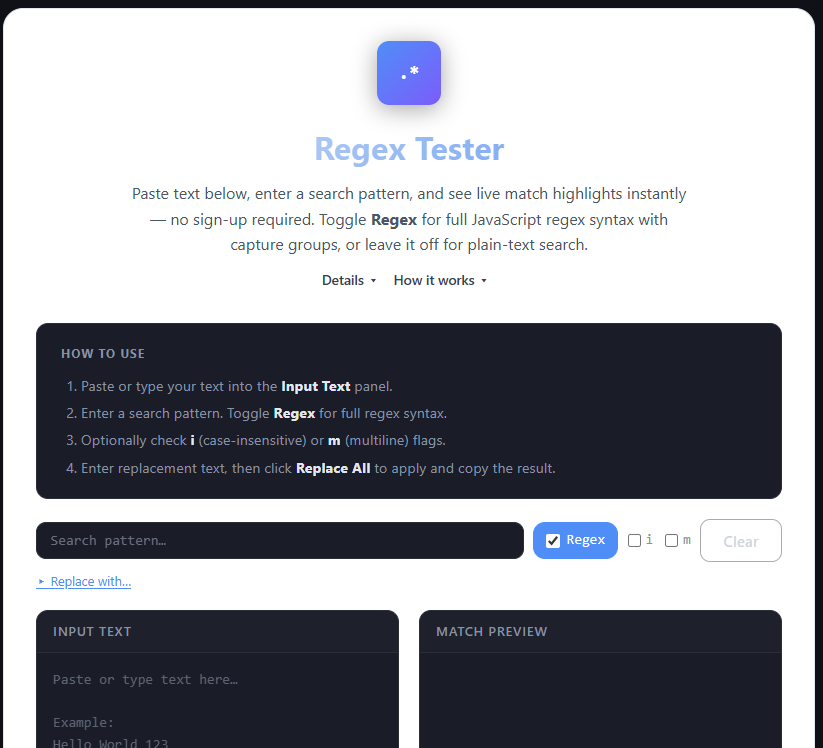
Paste or type the text you want to search in the Input Text panel on the left.
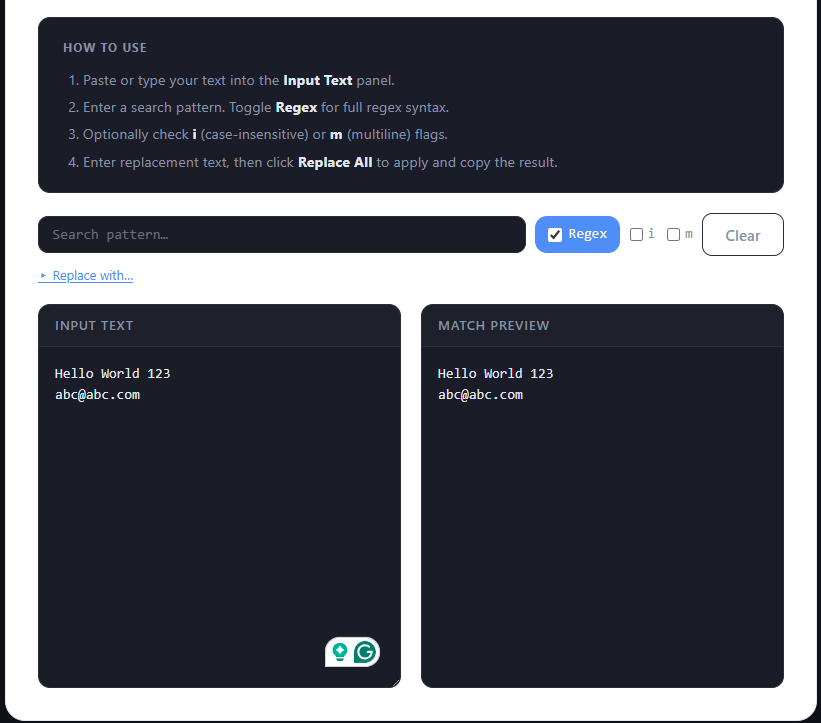
Type a search pattern in the Search field. Toggle Regex to use JavaScript regex syntax, or leave it off for a plain-text search.
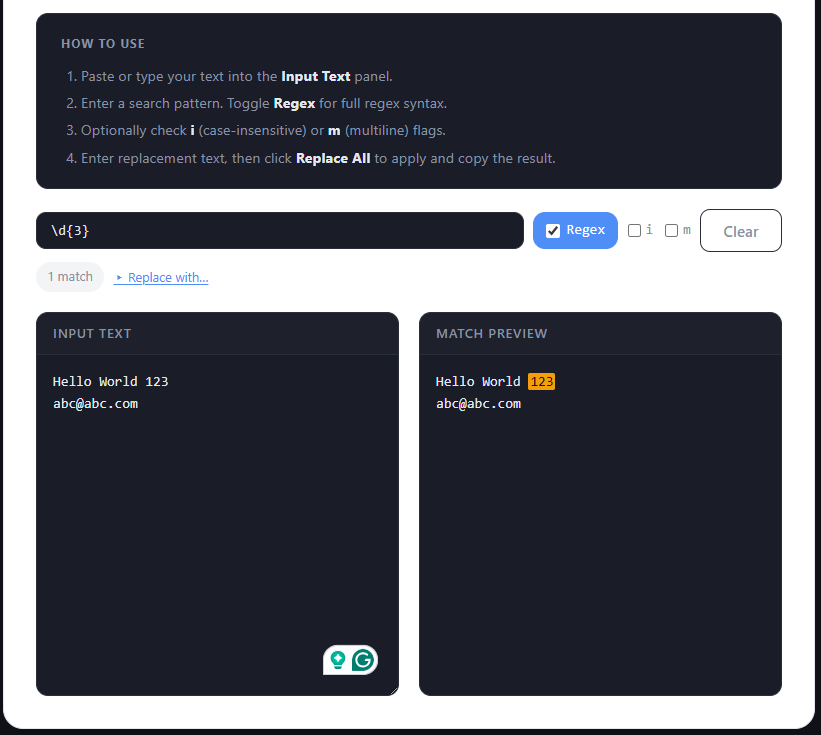
Matches are highlighted live in the Match Preview panel on the right. The match count updates automatically.
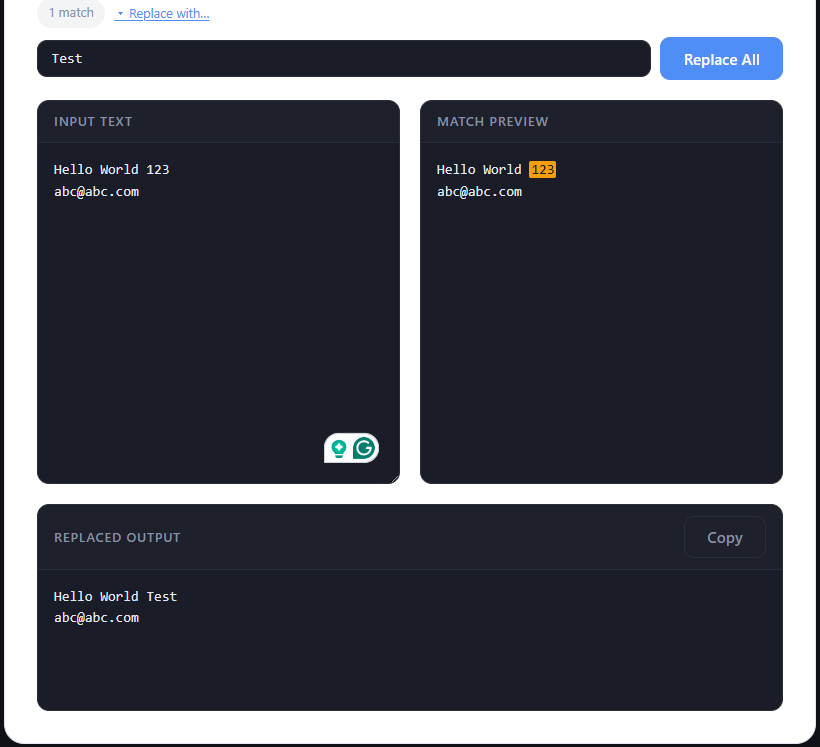
Enter a replacement in the Replace field and click Replace All to see the result. Copy it from the output section that appears below.
How to use
- 1. Paste your text in the Input Text panel.
- 2. Type a pattern in the Search field.
- 3. Matches highlight live in the Match Preview panel.
- 4. Use Replace All to replace matches.
How to Test and Debug Regex Quickly (Without Losing Your Mind)
Regular expressions are powerful… but notoriously frustrating. You write a pattern expecting it to match perfectly — and instead it matches too much, nothing, or partially works.
👉 The key to mastering regex isn't memorization — it's testing and iteration.
In this guide, you'll learn how to:
- 🧪 Test regex patterns effectively
- 🐞 Debug common issues
- 👁 Understand what your pattern is actually doing
- 🚀 Build regex with confidence
🔍 What Is a Regex Tester?
A regex tester is an interactive tool that lets you write a pattern, provide sample text, and instantly see matches — turning regex from guessing into visual feedback.
🧠 Why Regex Feels Difficult
- 😵 Compact — a small pattern can represent a lot of logic and be hard to read.
- 🔄 Sensitive — one character change can break everything or completely change behavior.
- 🧩 Abstract — patterns don't always "look like" what they match.
⚡ Why You Should Always Use a Regex Tester
- 👀 Instant Feedback — see matches as you type; no guessing, no running code repeatedly.
- 🐞 Faster Debugging — quickly identify wrong groups, missing escapes, incorrect boundaries.
- 🎯 Better Accuracy — test against real input data and edge cases.
- 🚀 Faster Learning — experimentation helps you understand patterns and remember syntax naturally.
🧪 Example: Regex in Action
Goal: Match email addresses
^[^\s@]+@[^\s@]+\.[^\s@]+$
Test input: test@example.com, invalid-email, hello@site
A regex tester highlights ✅ valid matches and ❌ invalid ones — making debugging much easier.
🛠 Common Regex Mistakes
🪜 Step-by-Step: How to Test Regex
- ✍️ Enter your regex pattern
- 📄 Paste sample text
- 👀 Observe matches
- 🔧 Adjust pattern
- 🔁 Repeat until correct
🧠 Best Practices for Writing Regex
- ✅ Start simple — build patterns step by step, add complexity gradually.
- ✅ Test real data — use actual user input and real-world examples.
- ✅ Use comments when possible — break complex regex into understandable parts.
- ✅ Avoid over-optimization — readable regex beats "clever" regex.
- ✅ Validate edge cases — test empty input and unexpected formats.
🧠 Technical Architecture & Engine Mechanics
The JavaScript RegExp Engine & Dynamic Match Pipeline
When you type a search pattern or test string, our tool interacts directly with the browser's native JavaScript `RegExp` engine. Using methods like `RegExp.prototype.exec()` and `String.prototype.matchAll()`, the engine parses strings dynamically in memory as you type. It constructs a match buffer and calculates character offset indices (`m.index` and `lastIndex`) to apply live HTML `<mark>` highlights without server roundtrips.
Catastrophic Backtracking & ReDoS (Regular Expression Denial of Service)
A major technical vulnerability in regex evaluation is ReDoS. When a pattern contains nested or overlapping quantifiers (such as `(a+)+
Zero-Server Privacy & Local In-Memory Execution
Because regex evaluation and string substitution run strictly within the client browser's local RAM, no text payloads are transmitted over HTTP endpoints. Developers can securely paste sensitive production server logs, API authorization responses, or Personally Identifiable Information (PII) without risk of data leaks or server-side logging.
🧑💻 Real-World Use Cases
- 📧 Email Validation — check input format before submission
- 🔐 Password Rules — enforce complexity requirements
- 📄 Data Extraction — extract IDs, URLs, numbers from text
- 📊 Log Parsing — analyze and filter system logs
⚠️ Common Pitfalls
- ❌ Writing entire regex at once
- ❌ Not testing edge cases
- ❌ Copy-pasting regex without understanding it
- ❌ Ignoring readability
🔍 Regex Tester vs Code Execution
| Feature | Regex Tester | Code |
|---|---|---|
| Speed | Instant | Slower |
| Debugging | Visual | Manual |
| Learning | Easy | Harder |
📊 Regex Flags Specification & Browser Support Reference
| Regex Flag | Name | Technical Impact on Evaluation | Browser Support |
|---|---|---|---|
g | Global | Evaluates the entire string to find all non-overlapping matches rather than stopping after the first match. | Universal |
i | Ignore Case | Disables case sensitivity during character matching (e.g., [a-z] matches A-Z). | Universal |
m | Multiline | Modifies the behavior of ^ and $ anchors to match the start and end of individual lines (\n, \r) rather than the whole input string. | Universal |
s | DotAll | Allows the dot . wildcard token to match newline characters (\n and \r) as well as regular characters. | ES2018+ |
u | Unicode | Enables full Unicode pattern matching, treating UTF-16 surrogate pairs as single unified code points. | ES2015+ |
🚀 Pro Tips
- 🔍 Test small parts of regex first
- 🧩 Break complex patterns into chunks
- ⚡ Use non-greedy matching when needed
- 📋 Keep sample inputs saved for reuse
🔐 Is It Safe to Use a Regex Tester?
Most modern tools:
- ✅ Run directly in your browser
- ✅ Don't store input
👉 Still avoid pasting sensitive data or production secrets.
❓ FAQ
Why is my regex not matching anything?
Possible reasons include incorrect escape syntax, missing multiline (m) or global (g) flags, unescaped special characters (like . or ?), or mismatched test input.
Why does my regex match too much?
Likely due to greedy quantifiers like `.*` that consume as many characters as possible. Use a lazy quantifier like `.*?` to stop matching at the first valid boundary.
What is the difference between JavaScript RegExp syntax and PCRE (Perl Compatible Regular Expressions)?
JavaScript RegExp engine follows ECMAScript specifications. While syntax overlaps heavily with PCRE, JavaScript historically lacked features like possessive quantifiers (`*+`) or atomic grouping (`(?>...)`), though modern JS engines now support lookbehinds (`(?<=...)`) and named capture groups (`(?<name>...)`).
How do positive and negative lookaheads (`(?=...)` and `(?!...)`) impact client-side performance?
Lookaheads evaluate zero-width assertions without consuming characters in the match buffer. Positive lookaheads (`(?=...)`) ensure a pattern follows, while negative lookaheads (`(?!...)`) ensure it does not. Overusing complex lookaheads inside high-frequency loops increases evaluation steps at every character offset.
Why does a greedy quantifier (`.*`) cause browser freezing on large 10MB text inputs compared to a lazy quantifier (`.*?`)?
A greedy quantifier (`.*`) consumes the entire string up to the end first and then backtracks character-by-character to satisfy trailing tokens. On a 10MB input, non-matching trailing rules force millions of backtracking steps. A lazy quantifier (`.*?`) matches the minimum necessary length first, avoiding massive backtracking chains.
Are named capture groups (`(?<name>...)`) supported across all mobile browsers?
Yes, named capture groups (`(?<name>...)`) were introduced in ES2018 and are supported across all modern mobile browsers, including iOS Safari 11.3+ and Chrome for Android. They allow accessing matched groups via `match.groups.name` rather than numeric indices like `$1` or `$2`.
What is ReDoS (Regular Expression Denial of Service) and how do I prevent it?
ReDoS occurs when a pattern with nested quantifiers or overlapping clauses (like `(a+)+b`) is tested against non-matching input (`aaaaa...X`). The engine explores $2^N$ execution paths trying to match. Prevent ReDoS by avoiding nested quantifiers, making match clauses mutually exclusive, and testing patterns against edge case inputs.
How does the Unicode flag (`u`) change pattern matching for emoji and special characters?
By default, JavaScript regex treats strings as 16-bit code units. Complex characters like emoji consist of 2 surrogate code units (32-bit). The `u` flag enables full Unicode awareness, ensuring `.` and character classes like `\w` match complete surrogate pairs as a single character rather than half a character.
Can I learn regex without memorizing every token?
Yes — practicing with an interactive client-side tester where you can see live match highlights and immediate replacement previews is the fastest, most practical way to master regular expressions.
Regex doesn't have to be frustrating. With the right approach and a good tester, you can build patterns faster, debug with confidence, and truly understand what your regex is doing.