PDF Compressor
Just Drop and Go - Reduce your PDF file size without losing quality. Upload your file, compress it in seconds, and download the smaller result. (Currently, we only support up to 5mb PDF files. For larger files, please use desktop software or an online service that supports big uploads for now.) Learn how to compress PDF →
What is PDF compression
PDF compression is the process of reducing the storage footprint of a PDF file by optimizing and re-encoding its internal resources — principally images, embedded fonts, and stream objects — while aiming to preserve the document's visible appearance. Compression helps when you need faster transfers, lower storage costs, or to meet attachment limits without having to manually edit or recreate the document in external applications.
How compression works
Under the hood, a compressor inspects the PDF's object tree, identifies large embedded binaries (for example, raster images and redundant font subsets), and rewrites those resources with more efficient encodings. There are two broad strategies: lossless optimizations (which repackage streams and remove unused objects without altering pixel data) and lossy image recompression (which reduces image fidelity in exchange for significant size savings). Good compressors select the least-destructive option based on the content type and configured quality targets.
Design tradeoffs
- Quality vs. Size: Aggressive, lossy recompression reduces bytes but can visibly affect photographs and scanned documents. For archival or print-ready assets prefer conservative, lossless steps; for web delivery, more aggressive settings often make sense.
- Speed and Resource Use: Compression of large, image-heavy PDFs is CPU- and memory-intensive — server-side processing can provide more consistent performance for very large files than client-only approaches.
- Predictability: Different PDF producers embed resources differently; results vary depending on how the original was generated.
Practical recommendations
- Prefer lossless steps when exact visual fidelity is required (legal, regulated, or archival content).
- For scanned or photographic PDFs, try a mild lossy recompression first and review the output visually before further reductions.
- Keep a copy of the original file until you confirm the compressed output meets your needs.
What it does
- Compresses PDFs by optimizing embedded images and streams.
- Reduces file size while preserving text and structural metadata when possible.
- Produces a smaller, downloadable PDF suitable for sharing and storage.
Useful when
- need to send PDF file but the file size is over email attachment limits.
- save disk space.
- prepare documents for email or web publishing.
Comparison
- Quick and easy — no local software required.
- Server-side processing may be more consistent for large or complex PDFs.
- Not a full editor — for advanced edits use desktop tools.
Privacy & retention
Uploaded files are processed on short-lived infrastructure and removed according to the app's retention policy. If you are handling highly sensitive documents, prefer local desktop tools or an on-prem solution that matches your compliance requirements.
When to use PDF compression
Use compression when you want to optimize documents for email, website publishing, or to save storage. Compression is particularly valuable for scanned documents, photo-heavy reports, or any content where embedded images dominate file size.
FAQs
- Q: Is my file private? A: Files are processed temporarily and auto-deleted according to the app's policy.
- Q: Will compression change layout or searchable text? A: No — compression focuses on images and streams while preserving textual content and layout in most cases.
- Q: Can I control compression level? A: This interface applies automatic heuristics; advanced presets are available in pro or expert modes in other tools.
- Q: What if the result looks worse? A: Keep the original and retry with milder settings or use lossless-only options.
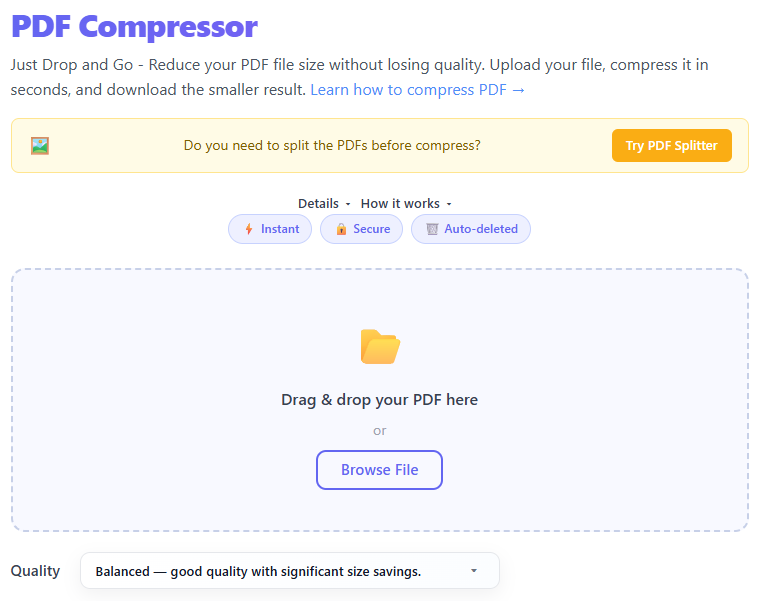
Upload a PDF using drag & drop or the browse button.
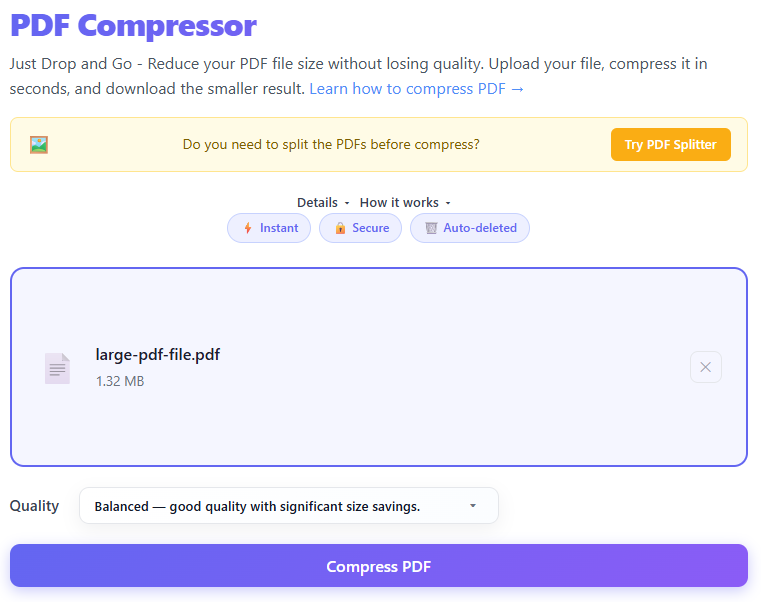
The file is sent to the serverless compressor which optimizes embedded images and streams.
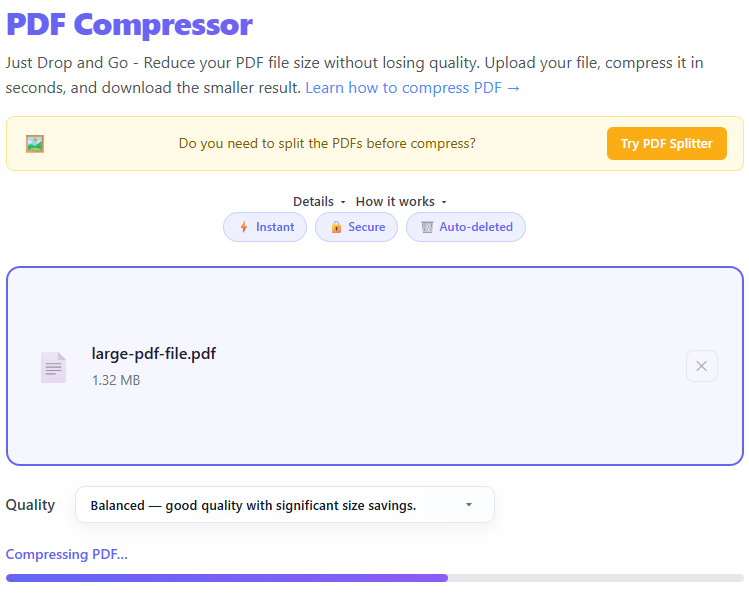
Compression progress is shown and the compressed file becomes available for download.
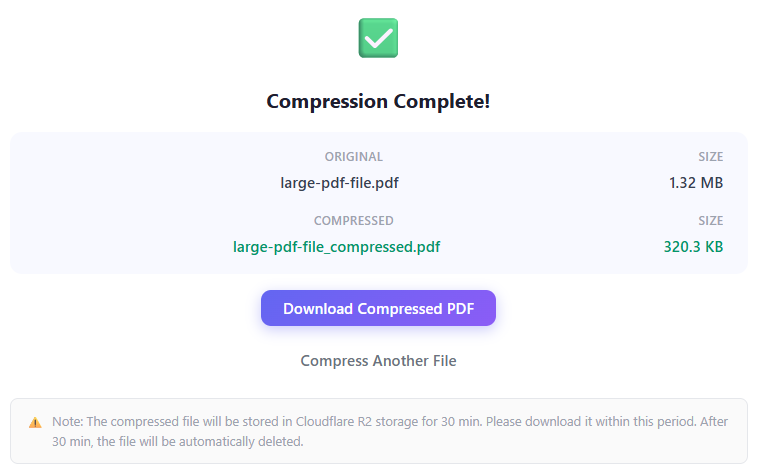
Download the compressed PDF before it is removed from temporary storage.
How to Reduce PDF File Size Without Losing Quality (Fast & Simple Guide)
You've probably run into this problem: "File size exceeds limit", email won't send your PDF, or an upload fails. Large PDFs are frustrating — but you don't need to recreate your file. This short guide explains why PDFs get large, how compression works, and how to reduce file size without ruining quality.
Why Are PDF Files So Large?
A PDF can contain much more than just text. Common reasons for large files:
- High-Resolution Images — images often use full resolution and are not optimized.
- Embedded Fonts — PDFs may include multiple full font sets.
- Scanned Documents — scanned PDFs are images saved as pages and can be very large.
- Uncompressed Elements — files created without optimization contain extra data.
What Does PDF Compression Do?
Compression reduces file size by lowering image resolution, removing unnecessary data, and optimizing internal structure — aiming for a smaller file while keeping acceptable visual quality.
When Should You Compress a PDF?
- Sending via email — avoid 20–25MB attachment limits.
- Uploading to websites — job portals, forms, and submissions often limit file size.
- Saving storage — smaller files save disk space and speed backups.
- Improving performance — smaller PDFs open and load faster on all devices.
Best Practices for PDF Compression
- Choose the right compression level — low compression keeps quality, high compression reduces size more.
- Optimize images first — resize/compress images before creating the PDF when possible.
- Avoid repeated compression — always keep an original copy; repeated recompression degrades quality.
- Know your purpose — printing needs higher quality; sharing can be smaller.
- Use a reliable tool — balance size and quality; try this compressor for fast results.
🧠 Server-Side Architecture & Security
The Processing Pipeline
When a PDF is uploaded, it is transmitted over a secure TLS 1.3 encrypted connection to our serverless backend execution environment. The backend processing engine analyzes the PDF object tree, locates embedded raster streams and font subsets, and applies stream-level optimization passes. Once re-encoded, the optimized document payload is returned directly to the user.
Cloudflare R2 & Automated Lifecycle Deletion
Temporary file artifacts are written to isolated Cloudflare R2 bucket storage using strict 30-minute lifecycle deletion rules. Once 30 minutes elapse, the Cloudflare storage engine automatically purges the file permanently. Uploaded PDFs are never indexed, backed up, stored permanently, or used for AI model training.
⚙️ How PDF Internal Compression Mechanics Work
Image Downsampling & Re-Quantization
High-resolution raster images embedded in documents (such as 300+ DPI print scans) are resampled down to web-optimized resolutions (such as 144 DPI or 72 DPI). Redundant pixel channels are re-encoded using DCT (JPEG) or Flate quantization to drastically reduce byte counts.
Font Subsetting & Glyph Pruning
Full font packages (like Arial or Times New Roman) embedded inside PDFs often contain glyphs for unused foreign character sets. Font subsetting prunes all unused character glyphs, retaining only the exact character subset required to render the document text.
Stream-Level FlateDecode Optimization
Raw vector coordinates, page layout instructions, and content streams are compressed using lossless zlib/deflate algorithms (`FlateDecode`). Unreferenced object tables, redundant metadata caches, and duplicate stream dictionaries are purged from the cross-reference table.
Common Mistakes to Avoid
- ✕Over-compressing important documents
- ✕Compressing already optimized PDFs
- ✕Ignoring readability after compression
- ✕Using low-quality scans as input
- ✕Not checking the final output
Step-by-Step: How to Compress a PDF
- Upload your PDF file
- Choose compression level
- Start compression
- Preview the result
- Download the optimized file
Real-World Use Cases
- Job applications — upload resumes within limits
- Business documents — share reports efficiently
- Student assignments — submit without upload errors
- Mobile sharing — avoid long download times
PDF Compression vs File Splitting
| Feature | Compression | Splitting |
|---|---|---|
| Goal | Reduce size | Break into parts |
| Keeps file intact | ✅ Yes | ❌ No |
| Best for | Email, uploads | Large document sharing |
📊 Optimization Target & Technical Impact Reference
| Optimization Target | Technical Action Performed | Impact on File Size | Ideal Use Case |
|---|---|---|---|
| Raster Images | Downsamples to 144/72 DPI, applies JPEG quantization | High (Massive reduction) | Scanned documents, photo-heavy presentations |
| Embedded Fonts | Subsets font glyphs to only include used characters | Medium | Text-heavy reports, ebooks, formal contracts |
| Document Metadata | Strips XMP metadata, author tags, and thumbnail caches | Low | Privacy compliance, web sharing |
| Vector Graphics | Simplifies vector paths and compresses FlateStreams | Low to Medium | CAD exports, complex charts, architectural blueprints |
Tips for Better Results
- Use clear, high-quality originals
- Avoid unnecessary images
- Keep formatting simple
- Test different compression levels
❓ Frequently Asked Questions
Does PDF compression reduce visual quality?
It depends on the selected compression profile. Lossless stream compression preserves exact vector and text fidelity, while lossy image re-encoding slightly downsamples raster images to drastically shrink file sizes.
Is my sensitive document data secure in Cloudflare R2 storage?
Yes — all uploads are encrypted in transit via TLS 1.3 and at rest in Cloudflare R2 storage buckets. Files are bound to an automated 30-minute lifecycle rule that permanently purges the object. No data is stored permanently, backed up, or used for AI model training.
Why did my PDF file size stay the same or slightly increase after compression?
This edge case happens when a PDF contains already-optimized stream data (like pre-compressed JPEG2000 images) or when re-encoding adds object overhead without finding redundant streams. If a file cannot be compressed further without quality destruction, the engine outputs the best possible structure.
Does compressing a PDF remove interactive elements like forms or digital signatures?
Digital signatures may become invalidated if internal stream byte offsets are modified during re-compression, as signatures rely on cryptographic hashes of exact original byte ranges. Interactive form fields and hyperlinks are preserved when using standard stream optimization settings.
How does image downsampling affect OCR (Optical Character Recognition) text layers on scanned documents?
Standard image downsampling reduces raster DPI while preserving hidden text vectors behind the image. However, aggressive downsampling below 150 DPI can reduce OCR accuracy if you attempt to re-run character recognition on the output.
How much can I reduce my PDF file size?
Image-rich presentations, scanned documents, and photo reports often achieve 50% to 80% size reductions. Text-only documents with minimal embedded fonts yield smaller 10% to 30% savings.
What is the difference between lossless and lossy PDF compression?
Lossless compression removes redundant stream objects, unreferenced fonts, and whitespace using FlateDecode algorithms without altering a single pixel. Lossy compression re-quantizes raster images and reduces DPI to achieve maximum byte savings.
Can I reverse PDF compression?
No. Once raster images are downsampled or metadata is stripped during lossy encoding, original high-resolution pixels cannot be reconstructed. Always maintain a local copy of your original uncompressed PDF.
Why is there a 5MB upload limit on this tool?
The 5MB ceiling ensures fast, responsive serverless execution and prevents memory buffer overruns on mobile devices. For massive multipage documents over 5MB, desktop CLI tools (like Ghostscript or pdfcpu) are recommended.
Conclusion
Large PDFs don't have to slow you down. Use proper compression techniques to share files, meet upload limits, and improve performance without sacrificing usability.